Every webform is available in multiple ways:
- At its own path.
- As a block.
- Via the Webform Content Type (made available by the Webform Node submodule).
You can also embed webforms into any Content Type, identical to how webform nodes behave, without installing the Webform Node module.
Embedding a form in a node
Webforms are entities, and you can "embed" other entities by referencing them via a reference field.
If you know how to add taxonomy term reference fields, user reference fields, or content reference fields, you already know how to add webform reference fields:
1. Add webform field to content type
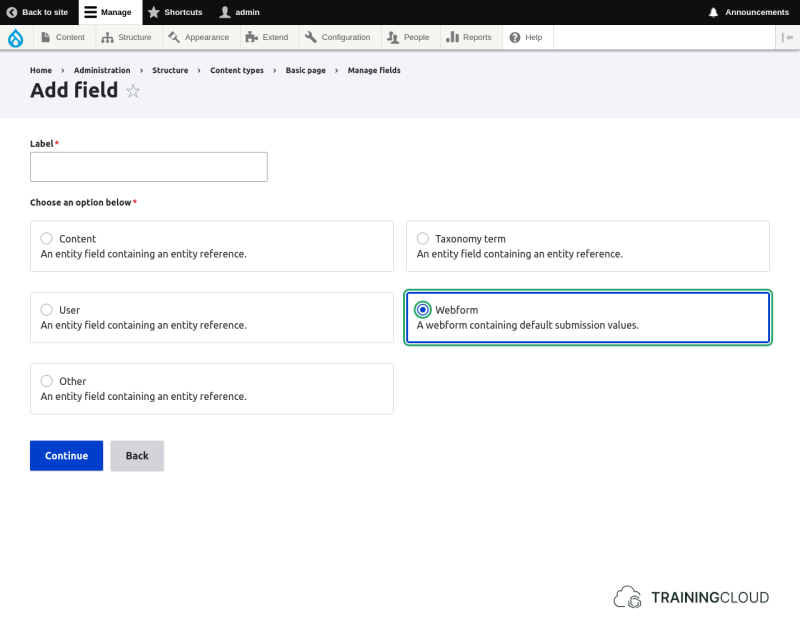
- Go to the Content Type you want to manage.
- Add a field of the type reference.
- Select the webform option.
- No additional configuration required.
2. Create node and select webform
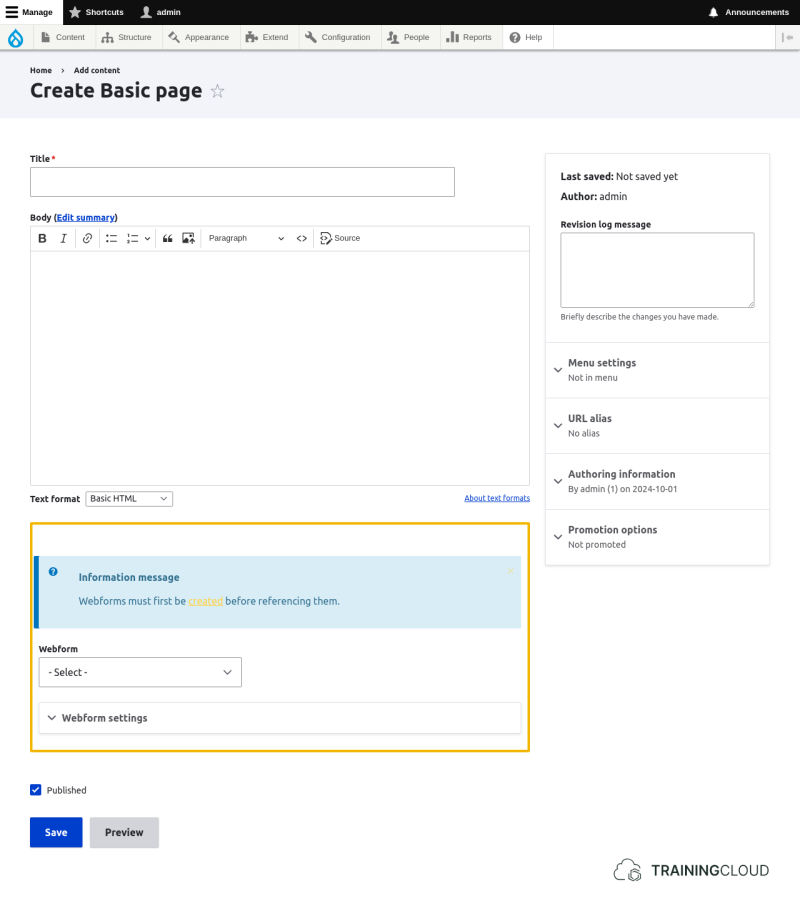
- Create a new node of the type you just added the webform field to.
- Select which webform to embed.
- Save.
Notice that adding a webform field to a Content Type enables the same functionality you see on Webform nodes provided by the Webform Node module.
In fact, all the Webform Node modules does is provifing a basic Webform Content Type with a _title, a body, and a webform reference field.
It's up to you whether you want to use the Webform Content Type or build your own.
Activity 1
- Add a webform reference field to the Basic Page Content Type.
- Configure the field's options and display settings to your liking.
Summary
- You can add a webform reference field to any Content Type to allow webform embedding into nodes of that type.