Form general settings
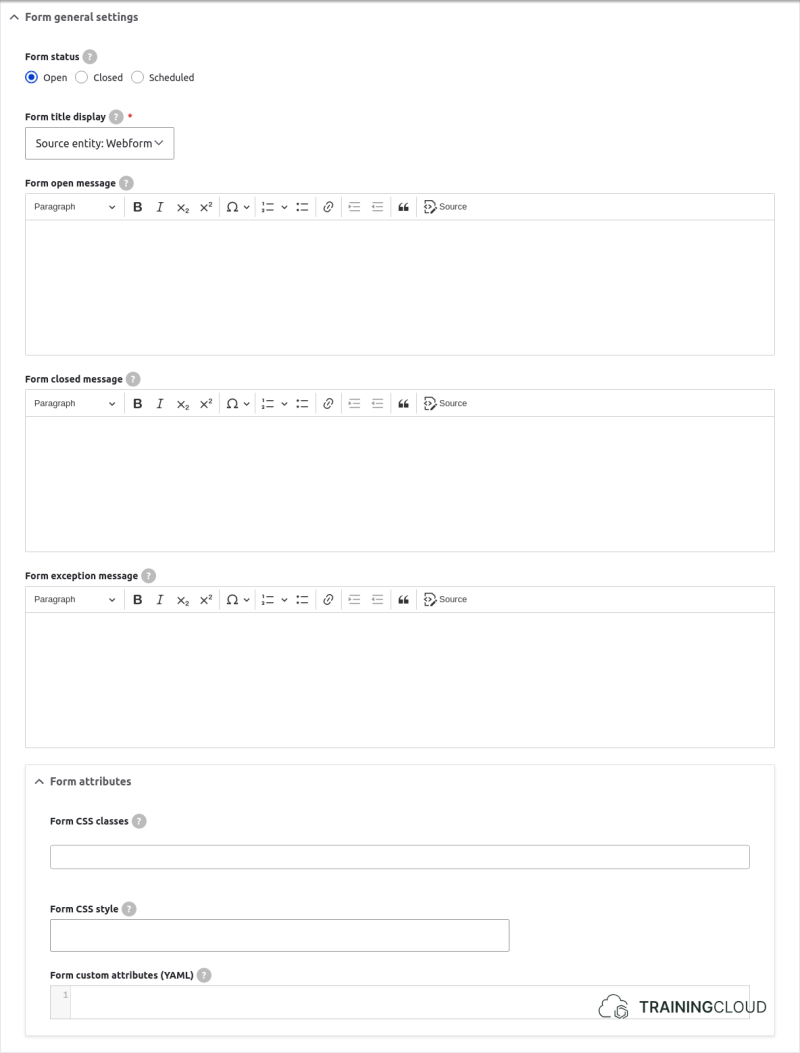
Form status
These settings let you specify if the form is open or closed. This is similar to how nodes can be published or unpublished.
If you select Scheduled, you'll be able to set dates when the form should be opened and/or closed automatically.
Form messages
Specify which messages to show when the form is open, closed, or when it can't be displayed.
Form attributes
Set form classes and styles.
Form behaviors
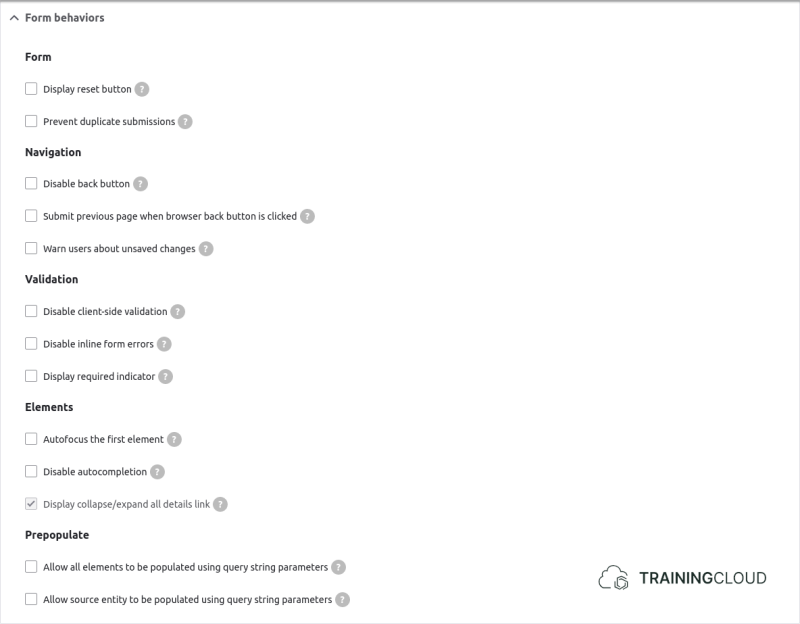
Most options here are basic and speak for themselves, but we'll highlight a few useful ones:
Warn users about unsaved changes
If selected, the browser will show a popup when users try to navigate away or close the browser tab/page.
Allow all elements to be populated using query string parameters
Querystring parameters are parameters added at the end of a url:
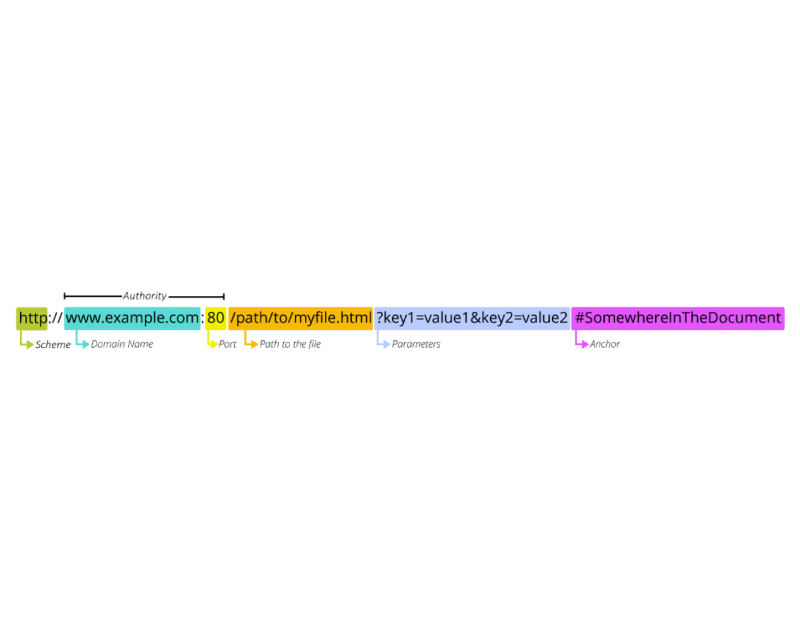
You can automatically set form elements to have a default value based on parameters you add to its path.
Example:
Your webform:
- has fields named product and color
- has its path alias set to /information-request
If this option is enabled, you can construct links like:/information_request?product=ISS394F&color=white
If the attributes match the name of field elements on the form, and the values are allowed values, those webform field elements will be automatically pre-filled with "ISS394F" and "white" respectively.
This is particularly handy when you want to send out links to webforms that are already partially filled in, but also want to keep the possibility of publishing the form without any default values.
If you have many fields to prepopulate, your URL can become quite long. In that case you could use a contributed module like the Redirect module to create short URLs that lead to the full webform URLs containing the querystring parameters.
Form access denied settings
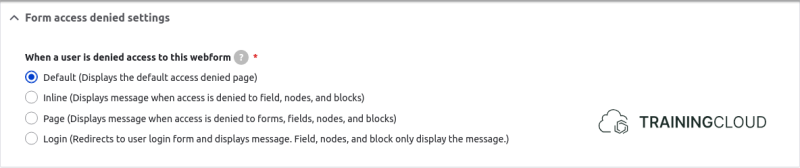
Specify what should happen when a user does not have permissions to access this form.
Form wizard settings
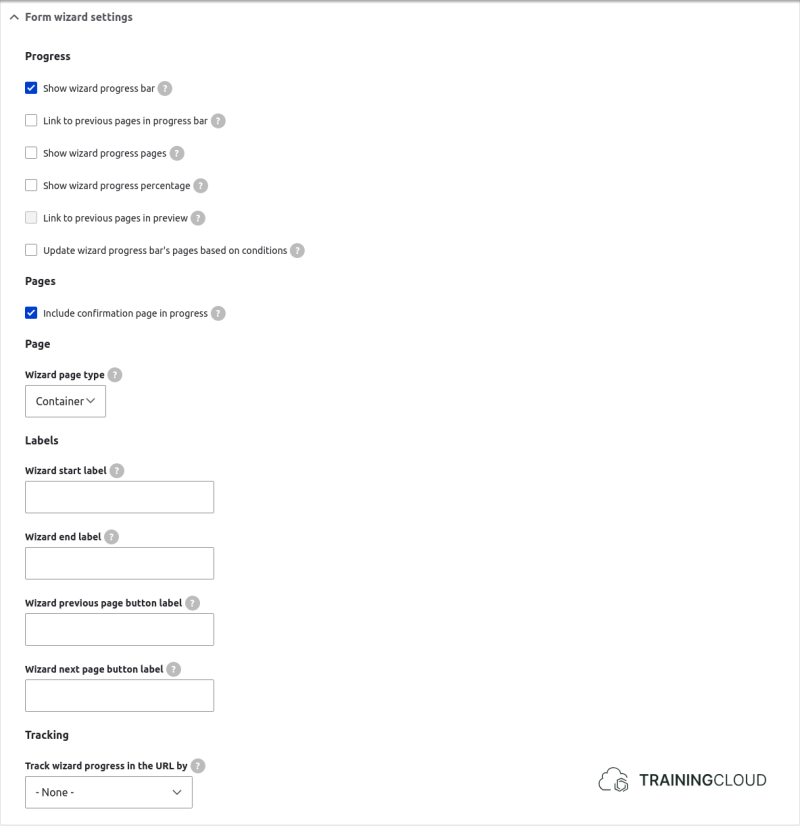
Various options related to navigating and tracking progress on multi-page webforms.
Form custom settings

Advanced settings related to which HTTP request method should be used to submit the form: HTTP POST (default), HTTP POST (customized), or HTTP GET.
This is rarely changed. You should only change this if you know the difference between POST and GET requests, if you have good reasons to change the default, and if you are prepared to write code to handle webform submissions entirely your own way.
Changing the default disables several features such as previews, drafts, saving submissions to the database, sending email, and executing custom handlers.
→ Learn more about HTTP request methods (Mozilla MDN)