Objectives & prerequisites
- Describe the purpose of theme regions.
- Show the available theme regions of any theme.
- Compare the theme regions of two themes.
- Basic administrative experience building or managing a Drupal site.
Theme regions
Even if you only just started working with Drupal, you probably already know that Drupal has the concept of blocks that can be placed in theme regions.
Here's a refresher:
Theme regions are the page layout areas with names like Header, Content, Sidebar, and Footer, where you, as a site builder, can place content blocks:
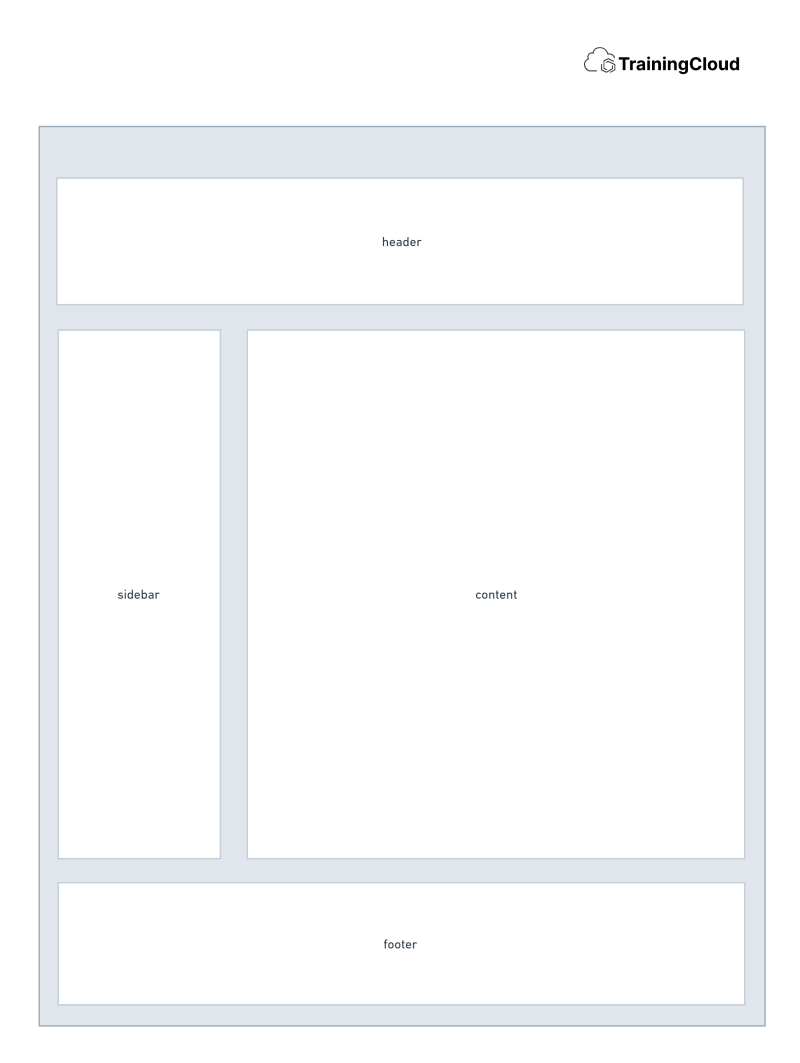
You can manually create content blocks through the administration interface, or use blocks that Drupal core or custom / contributed modules provide. You can do so at Manage > Structure > Block Layout.
Default theme regions
Drupal core provides the following default theme regions:
- header
- primary_menu
- secondary_menu
- highlighted
- help
- content
- sidebar_first
- sidebar_second
- footer
- breadcrumb
If a theme does not declare any regions, the default regions will be available.
Custom theme regions
Themes are allowed to override the list of available theme regions.
As soon as a theme declares even one single theme region, the default regions no longer apply, and the theme becomes responsible for declaring all of the regions it wants to use.
For example: if your theme wants to add one single region to the regions that are available by default, it must redeclare all the default regions as well as its own additional region.
Example: Olivero's theme regions
The Olivero theme redeclares most of the default regions, removes a few, and adds a few:
- header: Header
- primary_menu: Primary menu
- secondary_menu: Secondary menu
- hero: Hero (full width)
- highlighted: Highlighted
- breadcrumb: Breadcrumb
- social: Social Bar
- content_above: Content Above
- content: Content
- sidebar: Sidebar
- content_below: Content Below
- footer_top: Footer Top
- footer_bottom: Footer Bottom
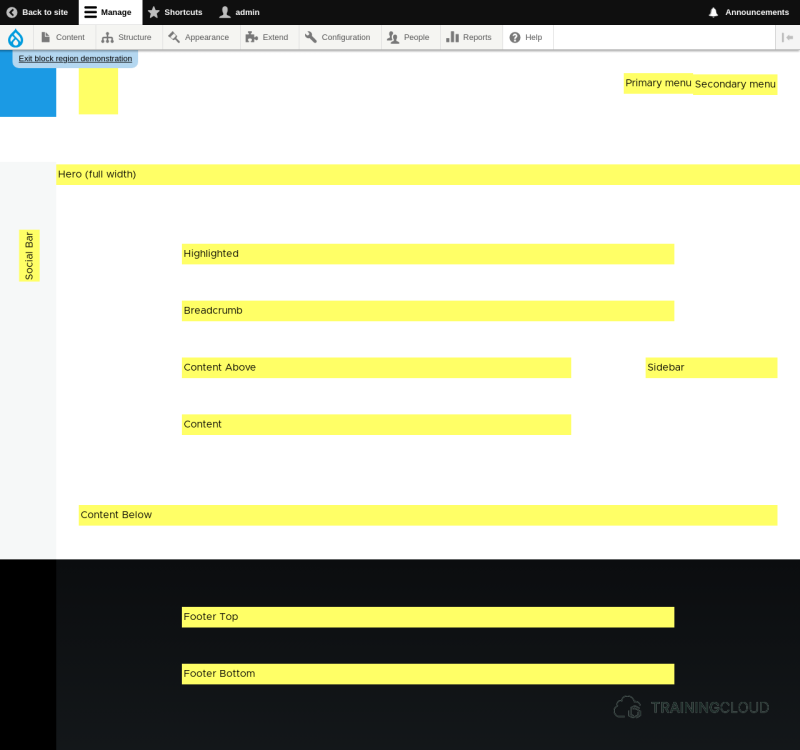
Region demonstration as shown in the above screenshot is available for each enabled theme at Manage > Structure > Block Layout > Demonstrate Block Regions.
Activity 1
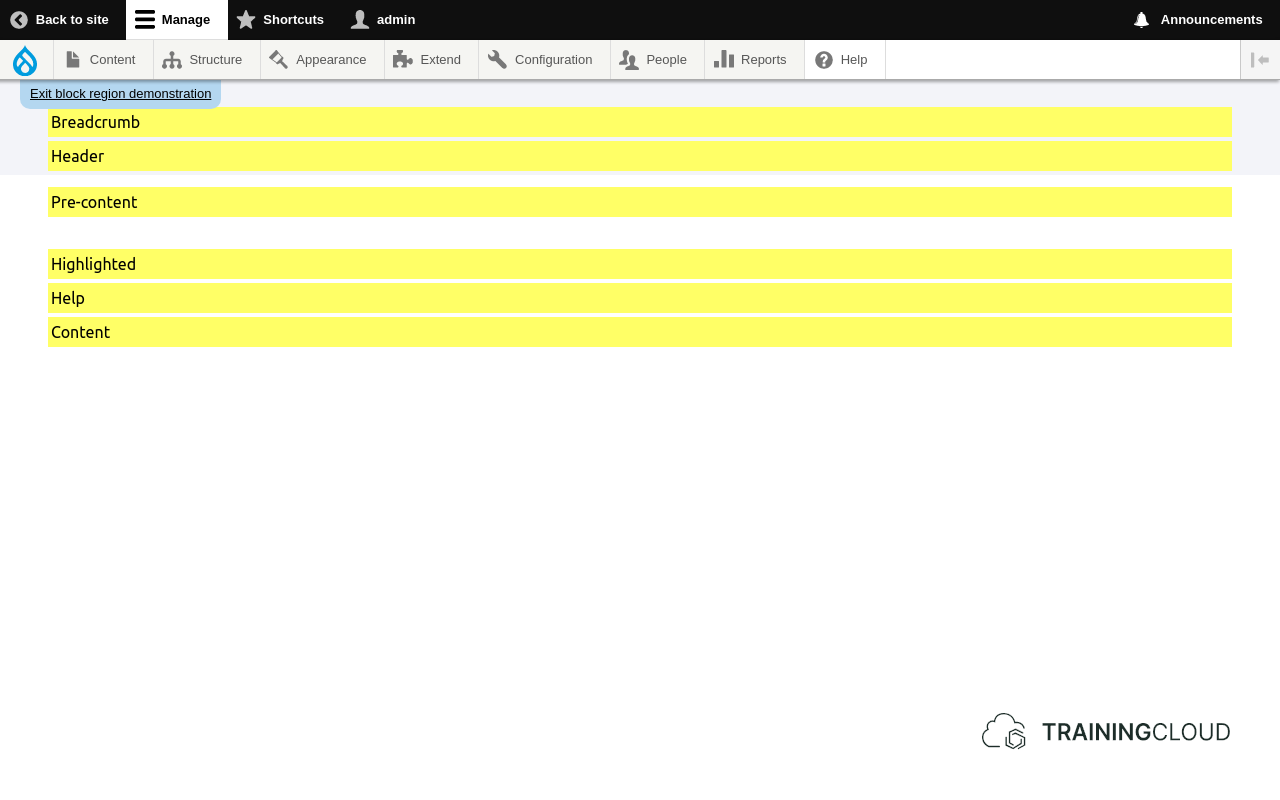
Compare Claro theme regions with Olivero's.
- Navigate to Manage > Structure > Block Layout.
- Select the Claro tab (if it's not already selected)
- click on demonstrate theme regions.
You should see something similar to this:
- In a different browser tab, do the same for Olivero:
- Which regions do they have in common?
- Which regions are unique to each theme?
Summary
- Themes have regions.
- Content blocks can be placed in theme regions via Manage > Structure > Block Layout
- You can see any theme's regions via Manage > Structure > Block Layout > Demonstrate block regions.