Introduction
Search engine optimization (SEO) is the process of improving the quality and volume of website traffic from search engines to your website.
Meta tags play an important role: they provide machine-readble metadata that give search engines and other external systems like social media platforms more context about each of your pages.
Basic tags for SEO
SEO is a large field, and good search engine results rely on a combination of technologies, techniques, and metadata standards.
Going through all possible meta tags, metadata standards, tools, and techniques that can help SEO is nearly impossible, and is certainly out of the scope of this unit.
Instead will go over four basic but MUST HAVE meta tags that help influence SEO:
- Title
- Meta description
- Meta viewport
- Meta robots
We'll briefly discuss each of these tags, and figure out which Metatag submodule to enable to add support for these tags, if any.
Once you're familiar with the basic use of meta tags, and how to use the Metatag module to set up and override patterns, you'll be in a good position to dive deeper into configuring meta tags for a wider variety of social networks and other platforms.
Reminder
Add a field of the type meta tags to your Content Types to let editors override the default meta tags on individual nodes.
Tag: title
What does it do?
A page's title is the most important piece of information in search results: it's what people primarily look at and click on when browsing through search results.
Example
<title>
  News, sport and opinion from the Guardian's global edition | The Guardian
</title>
Configuration
The title element is supported by Metatag, as part of the default Global and Content Metatag patterns.
Drupal core outputs the <title> tag by default, but if you want to be able to customise or override it on individual pages, you need a module like Metatag.
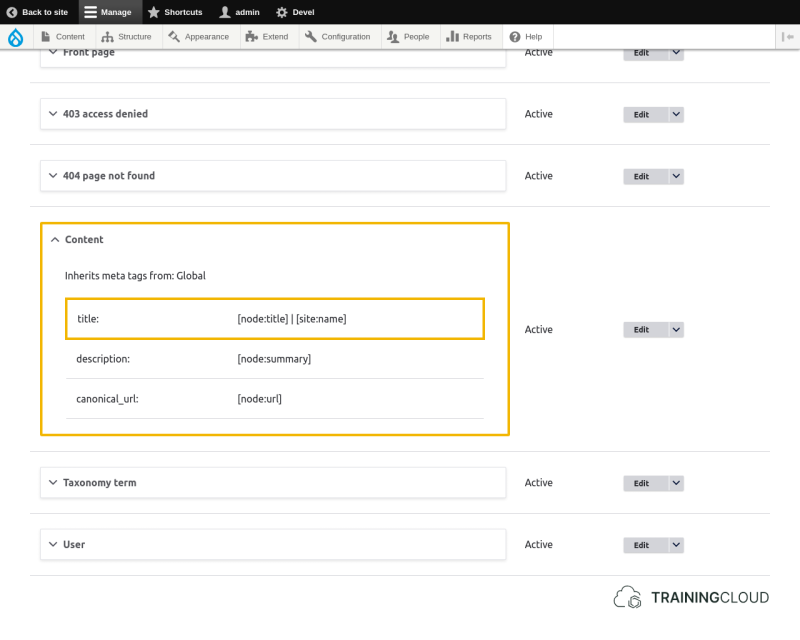
Example pattern
[node:title] :: TrainingCloud.io - Drupal Training with a Heart
Example output
<title>
  How to customise meta tags :: TrainingCloud.io - Drupal Training with a Heart
</title>
Tag: Meta description
What does it do?
The meta description tag provides a page summary which search engines often use to display a short summary below each search result link.
Example
<meta
  name="description"
  content="Latest international news, sport and comment from the Guardian"
/>
Configuration
The meta description element is supported by Metatag, as part of the default Global and Content Metatag patterns.
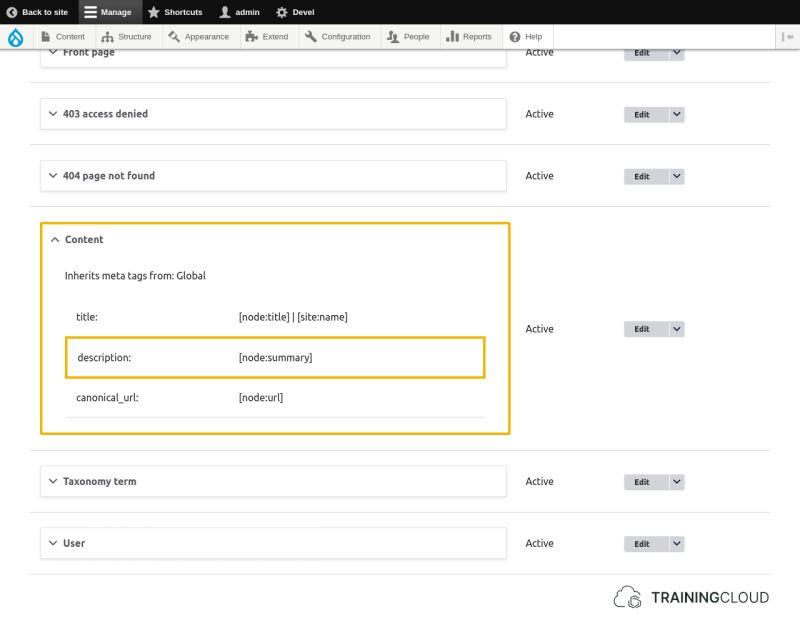
Example pattern
[node:summary]
Example output
<meta
  name="description"
  content="Anna spent 48 hours working undercover. This is what she learned."
/>
Tag: Meta viewport
What does it do?
The meta viewport tag specifies the visible area of a web page and lets you control layout on mobile browsers.
Web pages that are displayed correctly on mobile pages score higher in Google's page ranking algorithms, so using this tag is important!
Example
<meta name="viewport" content="width=device-width, initial-scale=1">
Syntax
You can specify one or more viewport attributes inside the meta tag's content attribute by separating them with a comma, as shown in the example.
Often-used attributes:
Specifies the viewport's width.
Can be a fixed value (e.g. 500px), or a dynamic value (e.g. device-width).
Specifies the viewport's height.
Can be a fixed value (e.g. 800px), or a dynamic value (e.g. device-height).
Specifies the initial zoom-level when the page is loaded.
Setting this to 1 lets browsers on high-dpi screens correctly zoom in to provide a sharp image.
→ Check out this MDN article on viewports to learn more about the relationship between pixel density and the initial-scale level.
Configuration
You must enable Metatag's Mobile and UI Enhancements submodule to add support for a number of mobile and display related meta tags such as the meta viewport tag.
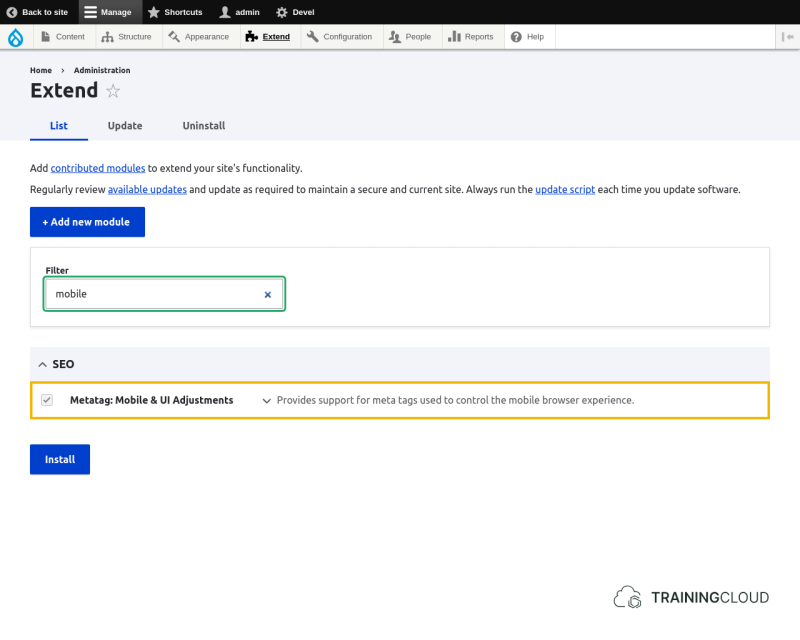
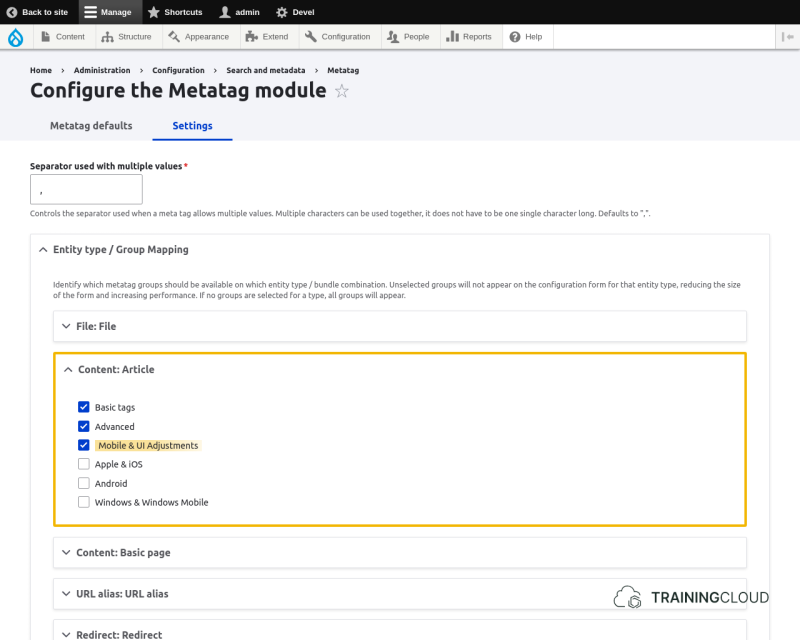
The next step is to activate this group of tags for the Content Type(s) of your choice:
Example pattern
width=device-width, initial-scale=1Example output
<meta name="viewport" content="width=device-width, initial-scale=1">Tag: Meta robots
What does it do?
The meta robots tag tells search engines if and how they can index the content of each page.
Example
<meta name="robots" content="index, nofollow">Configuration
The meta robots tag is part of the Advanced meta tag list.
Allowed values
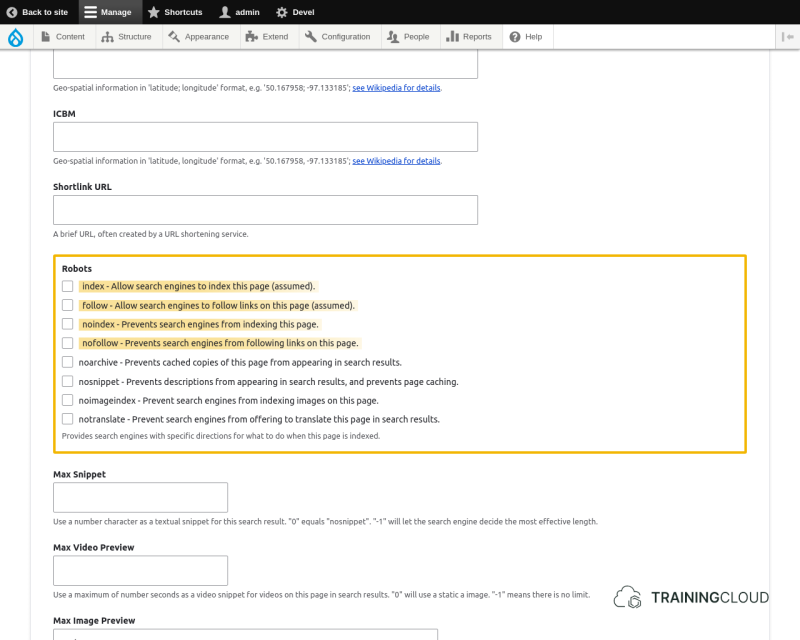
The most often used meta robots values are:
- index / noindex
- follow / nofollow
That said, here are all the meta robot values:
Allow search engines to index this page (default).
Allow search engines to follow links on this page (default).
Prevents search engines from indexing this page.
Prevents cached copies of this page from appearing in search results.
Prevents descriptions from appearing in search results, and prevents page caching.
Blocks the Open Directory Project description from appearing in search results.
Prevents Yahoo! from listing this page in the Yahoo! Directory (no longer exists).
Prevent search engines from indexing images on this page.
Prevent search engines from offering to translate this page in search results.
Example pattern
noindex, nofollow, noarchive
Example output
<meta name="robots" content="noindex, nofollow, noarchive">
Refer to these resources to learn more:
- MDN article: Other metadata names
- Ahrefs: https://ahrefs.com/blog/meta-robots/
- Moz: https://moz.com/learn/seo/robots-meta-directives
Activity 1
Add a 'meta viewport' tag to the Global defaults, using the pattern width=device-width, initial-scale=1.
Activity 2
You want to allow search engines to index every page, BUT give editors the ability to prevent any piece of content to be indexed by search engines.
- Ensure that all pages contain the correct metatag to instruct search engines to index the page.
- Ensure that editors can override this tag to prevent indexing on individual nodes.
Summary
- Title tag:
- sets the title to be displayed in the browser tab
- Description tag:
- sets the description as used in search engine results
- Viewport:
- sets the visible area of the web page and controls mobile layout
- Robot tag:
- tells search engines if and how to index your content,
- is part of the Advanced meta tag list.
- the 4 most common values are index, noindex, follow, nofollow
- You may need to enable a Metatag submodule to add support for certain meta tags.