Objectives & prerequisites
- Inspect one or more Twig variables.
- Inspect all available Twig variables.
- Describe the link between Twig's
dump()and PHP'svar_dump().
- Basic Twig usage.
- Basic Drupal site administration.
Overview
Once all options at Administration > Configuration > Development > Development settings are enabled, several development features become active, including:
- the availability of the Twig function dump()
- the presence of template suggestions in the rendered HTML source code
In this unit you will learn how to discover available Twig variables in your template, and how to use the dump() function to inspect them.
In a later unit we will discuss how to use template suggestions in rendered HTML source code.
Dumping variables
Twig's dump() function is used to print both scalar variables (that hold a single value) and compound variables (arrays and objects).
The availability of dump() depends on whether or not Twig's debug mode is active in your Drupal site's configuration at Administration > Configuration > Development > Development settings.
Basic output
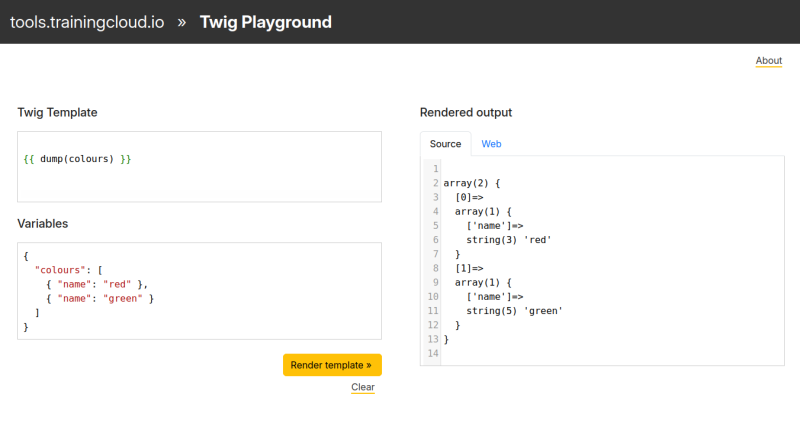
By default, dump() generates the same output as the PHP function var_dump():
Advanced output
However, Drupal also contains the Symfony VarDumper component, which turns the basic var_dump output into more usable, interactive output:
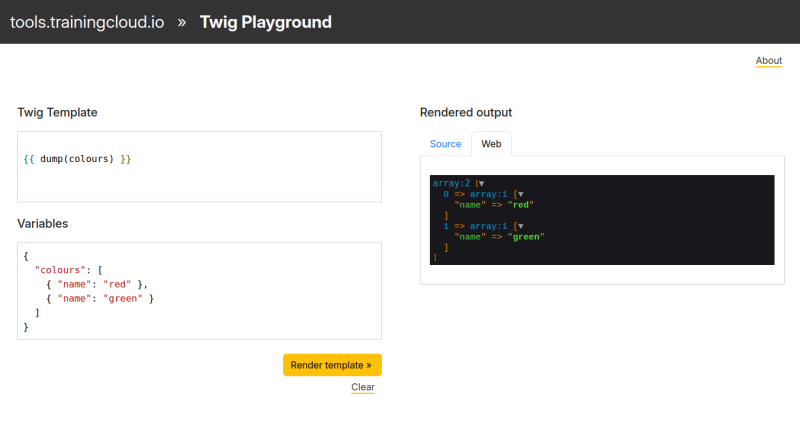
TrainingCloud's Twig Playground supports dump() and lets you review the output in source view (raw var_dump output) and web view (pretty VarDumper output).
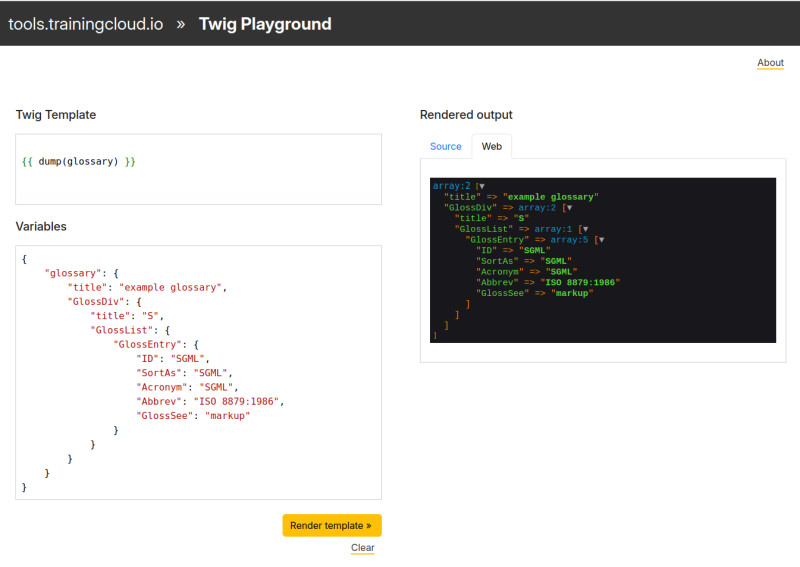
Let's see what the output looks like when debugging more complex variables:
Note:
You can install and use other dumper components than VarDumper, and you can create your own.
Using dump() without arguments
When you use dump() without arguments, all variables from the current context are printed. In other words: all currently available variables.
This has the same effect as dumping the special Twig variable _context, which contains all the available variables.
Command:
{{ dump() }}or
{{ dump(_context) }}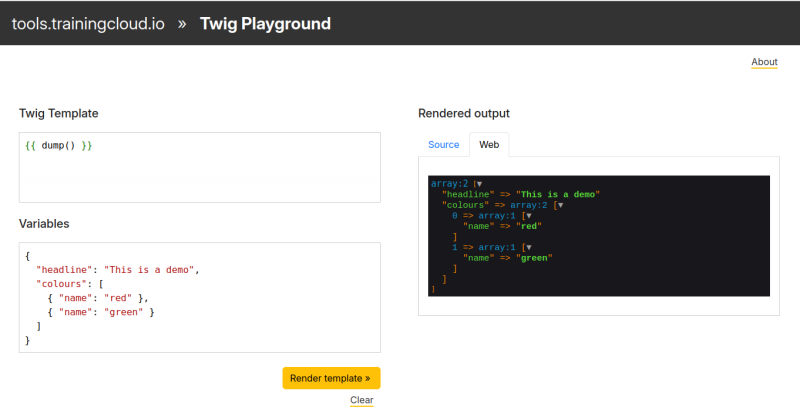
→ dump() without arguments dumps all available variables.
Dumping only variable names
In some situations, dumping all available variables can generate a lot of output, making it tricky to find what you need.
One handy trick you can use is pass the context variables through the keys filter, to only print the name of each variable, not their value.
In the following example we first print _context, followed by _context filtered through keys:
{{ dump(context) }}
{{ dump(_context | keys) }}
Using dump() with arguments
You can debug one or more variables at the same time by passing them all as arguments.
In the following example we dump two of the three available variables:
{{ dump(headline, byline) }}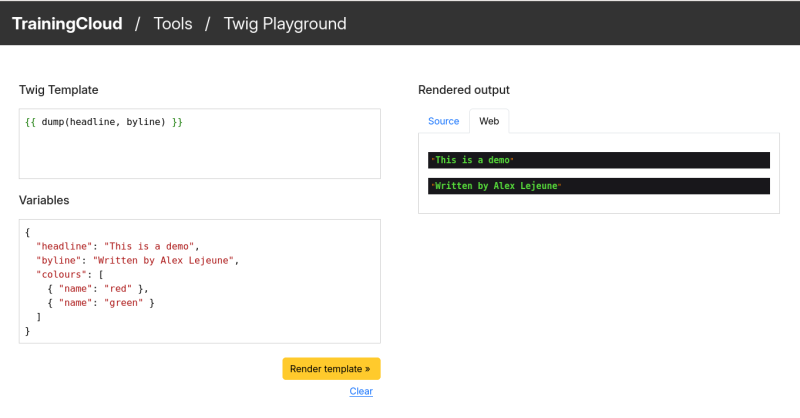
Activity 1
Describe _context your own words.
Activity 2
Use two ways to dump all available variables.
Compare both outputs and confirm that both commands generate the exact same output.
Summary
- If Twig's debug mode is active, the
dump()function is available. - Default Twig
dump()output is identical to output from PHP'svar_dump()function. - When the Symfony VarDumper component is installed, advanced output is available.
dump()arguments:- No arguments: dump all available variables.
- One argument: dump requested variable
- Multiple arguments: dump all requested variables at the same time.
- The special
_contextvariable contains all available variables.