Objectives & prerequisites
- Enable Twig's development mode.
- Print Twig template suggestions in your source code.
- Experience with basic Drupal site maintenance tasks.
- Familiarity with Drupal template files and theme inheritance.
Overview
When you enable Twig's debug mode at Administration > Configuration > Development > Development settings, Twig template suggestions are added to your site's HTML source code.
→ ensure this setting is enabled.
Example
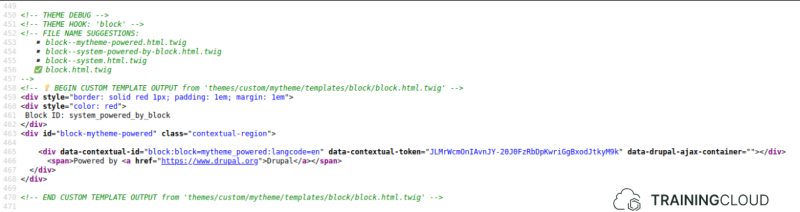
The following example shows the partial output of the Drupal frontpage, with mytheme set as the default theme, and Twig debug mode enabled. Specifically, this example shows the markup for the "Powered by Drupal" block.
The green comments show which template files Drupal tried to locate, in the order it tried to locate them (from more specific to more generic, as prescribed by the theme inheritance system):
block--mytheme-powered.html.twigblock--system-powered-by-block.html.twigblock--system.html.twigblock.html.twig
Since none of the more specific template files are used anywhere in the theme inheritance chain, the most generic template file for blocks (block.html.twig) provided by your theme (mytheme) is used.
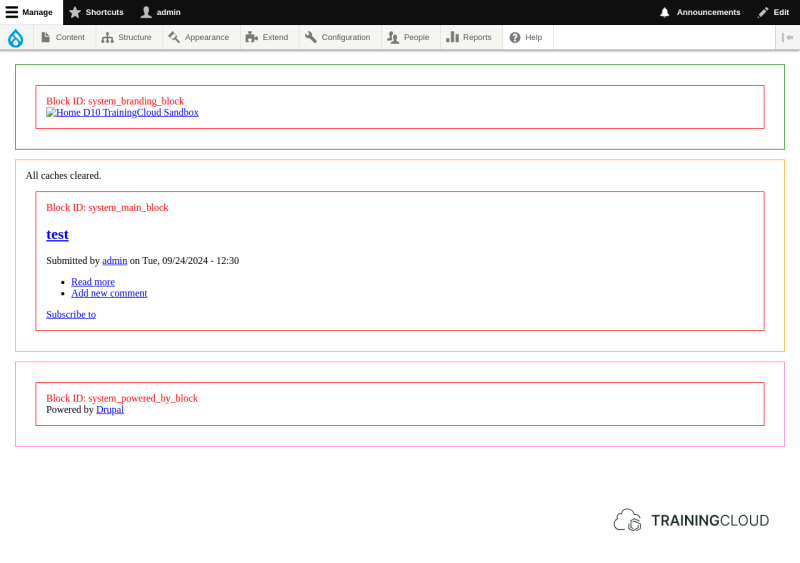
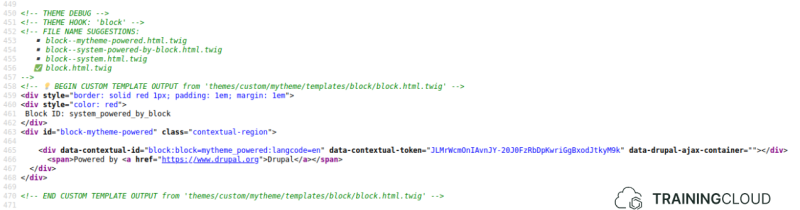
If you were to duplicate the themes/mytheme/templates/block.html.twig file (that you previously added to override the generic template for all blocks), rename it to block--mytheme-powered.html.twig, clear caches (you added a new template file!), and reload the page, the template hints in the source code will now show that the new template file is being used for that block:
If you change the CSS border colour to "purple" in block--mytheme-powered.html.twig, the change to a purple border will be visible in the frontend as well:
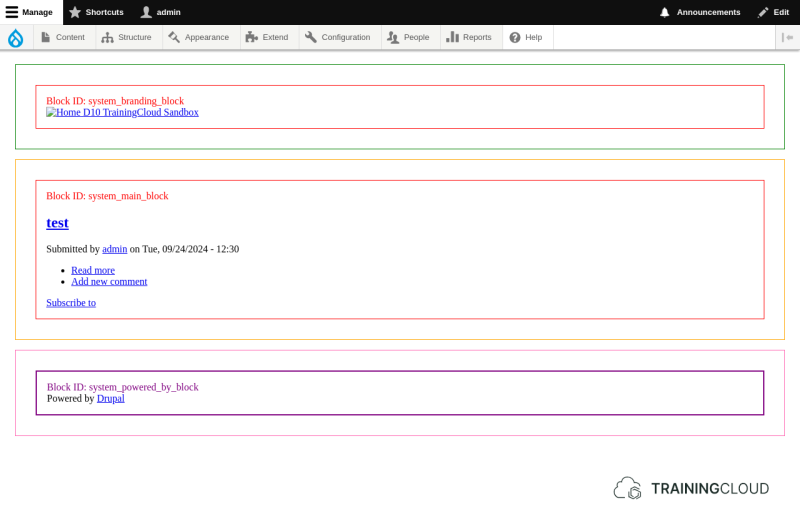
Now that you have successfully overridden the "Powered by Drupal" template file, you can keep customising it to fit your needs. Due to its name, the template is so specific that it will only affect the "Powered by Drupal" block; no other blocks will be affected.
Activity 1A
View the source code of your front page. Which template is being used to generate the <html> and <head> tags? Where does this template come from (who or what provides it?)
Activity 1B
Why is Drupal selecting core/themes/stable9/templates/layout/html.html.twig instead of core/modules/system/templates/html.html.twig?
Activity 1C
Under which condition would Drupal use core/modules/system/templates/html.html.twig?
Activity 1D
Which steps would you take to make mytheme override html.html.twig?
Summary
- Enable Twig development mode at Administration > Configuration > Development.
- Twig template hints are now shown in your site's source code.