In this unit
- Learn how and where to configure each Content Type.
- Learn about a Content Type's basic properties and default settings.
Your available Content Types are listed at Manage > Structure > Content Types:
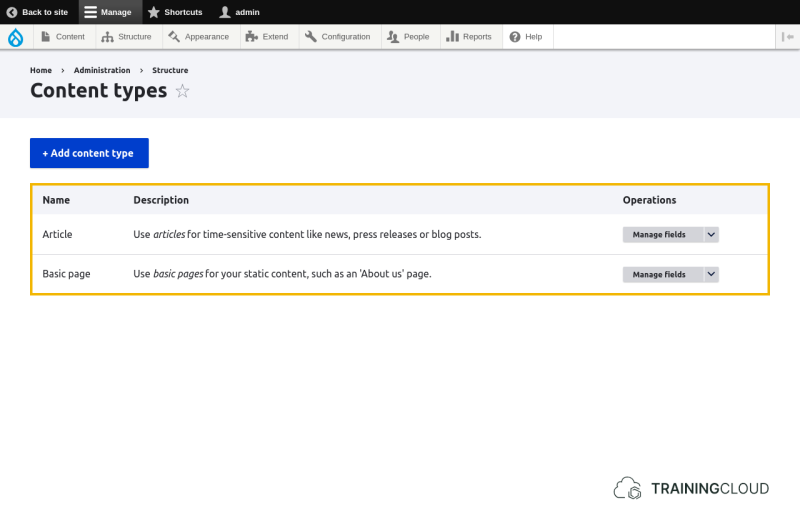
Clicking on Manage fields or any of the other actions in the dropbutton brings you to the Content Type management page where you find the Field UI's local task tabs.
You will learn later that you can add fields to more things than Content Types, but you'll be using the exact same interface: the Field User Interface, or Field UI for short.
Depending on the version of Drupal you are using, more and more things (actually: more and more entity types, such as Users and Taxonomy Terms) are integrated with the Field UI, so once you learn how to work with fields on Content Types, you'll be able to work with fields in many more places.
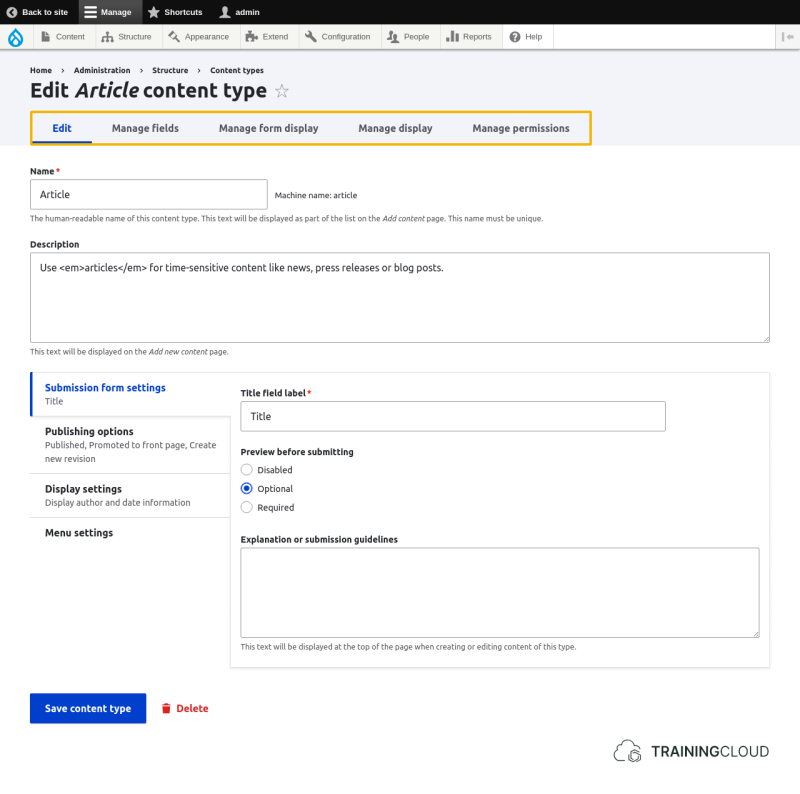
Field UI local task tabs
Lets you edit:
- The Content Type's basic settings such as its title and description, and whether to make previewing optional or mandatory (or hide it altogether).
- The Content Type's default settings for each node of that type, such as 'promoted to front page', publication status, and into which menus a user can place the node
Lets you add new fields to the Content Type, and modify the configuration of the existing fields.
Lets you define which fields are shown and hidden, in which order they are to be displayed, and which input widgets to present to the editor.
Lets you define which fields and labels are shown, and in which order they are to be displayed.
Lets you manage the entity type specific permissions.
For instance: if you're managing Content Type fields, this tab will take you to the Node-related permissions.
Working with Fields
At this point you probably expect to learn how to add fields to Content Types, how to configure the display properties of fields, and how to configure the data entry forms used to create or edit nodes.
All of this is discussed in the Working with Fields guide, where you will learn that you can add fields to Users and Blocks, as well as to Nodes, using the exact same process and user interface.
Summary
- You can modify the configuration of each Content Type.
- You can modify basic properties and default settings of each Content Type.
- Changing the default settings of a Content Type only affects new nodes of that type. It does not retroactively change existing nodes of that type.